Appearance
How can I see my pending leave requests?
Pending leave requests are all the leave requests that a user creates for themselves. These requests require approval or rejection from their approver.
You can view your leave requests from either:
- Calendar & Leaves
- Your Profile
View on Calendar & Leaves
Go to the Dashboard on Wibby, Click Calendar & Leaves from the left-side menu.
On the Calendar & Leaves page, click the My Requests tab to see all the pending leave requests.
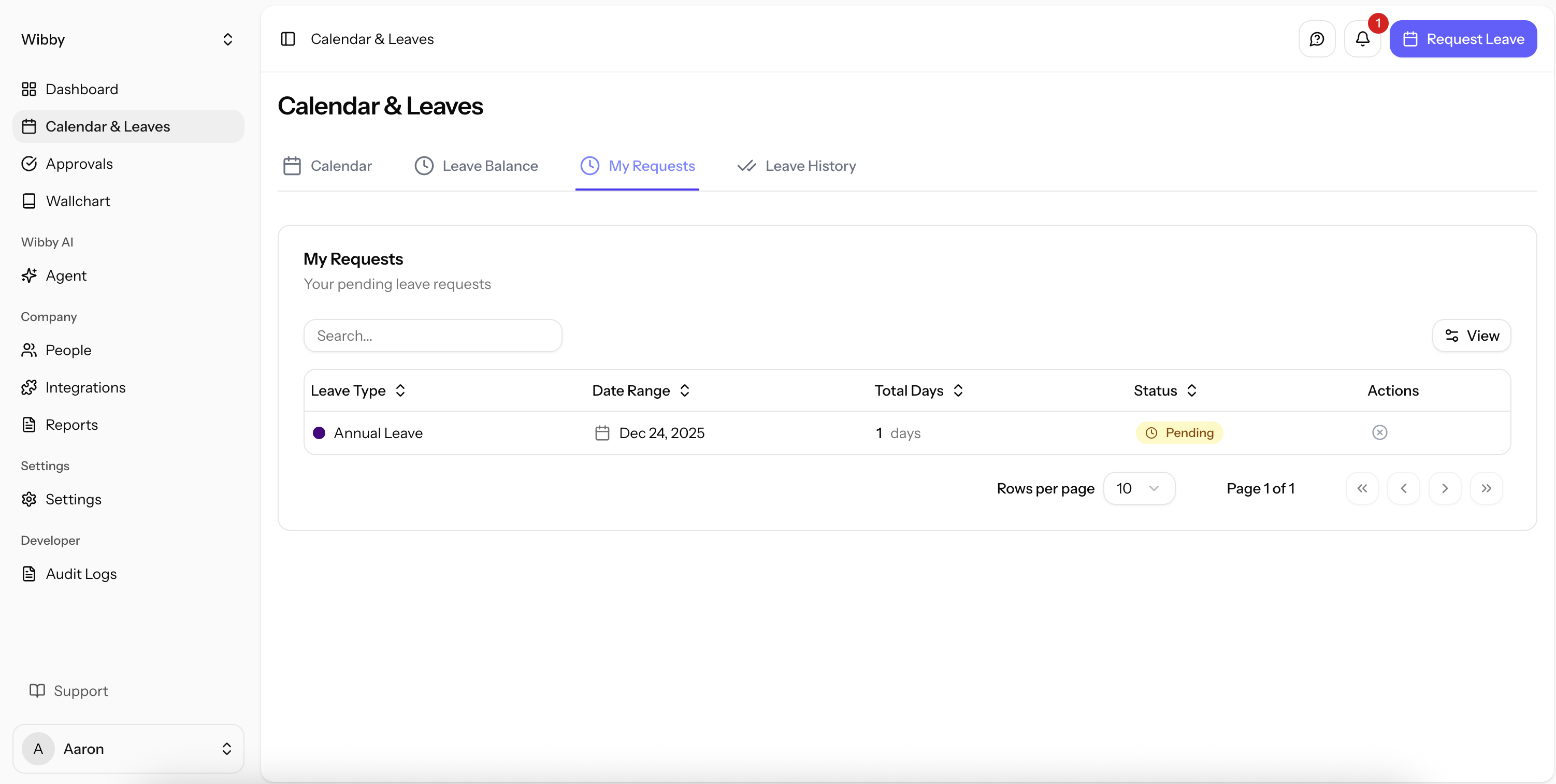
The My Requests page displays:
- Leave Type — the type of leave that is requested.
- Date Range — a single date or multiple dates for the leave.
- Total Days — number of days requested (weekends / non-working days are not counted).
- Status — There are 4 statuses for a leave request; Pending, Approved, Rejected and Cancelled.
- Action — a ✖ icon to cancel a leave request.
View on your Profile
Go to the Dashboard on Wibby, Click People from the left-side menu.
Click your own name to open your profile.
Click the Pending Leaves tab to see your leave requests.
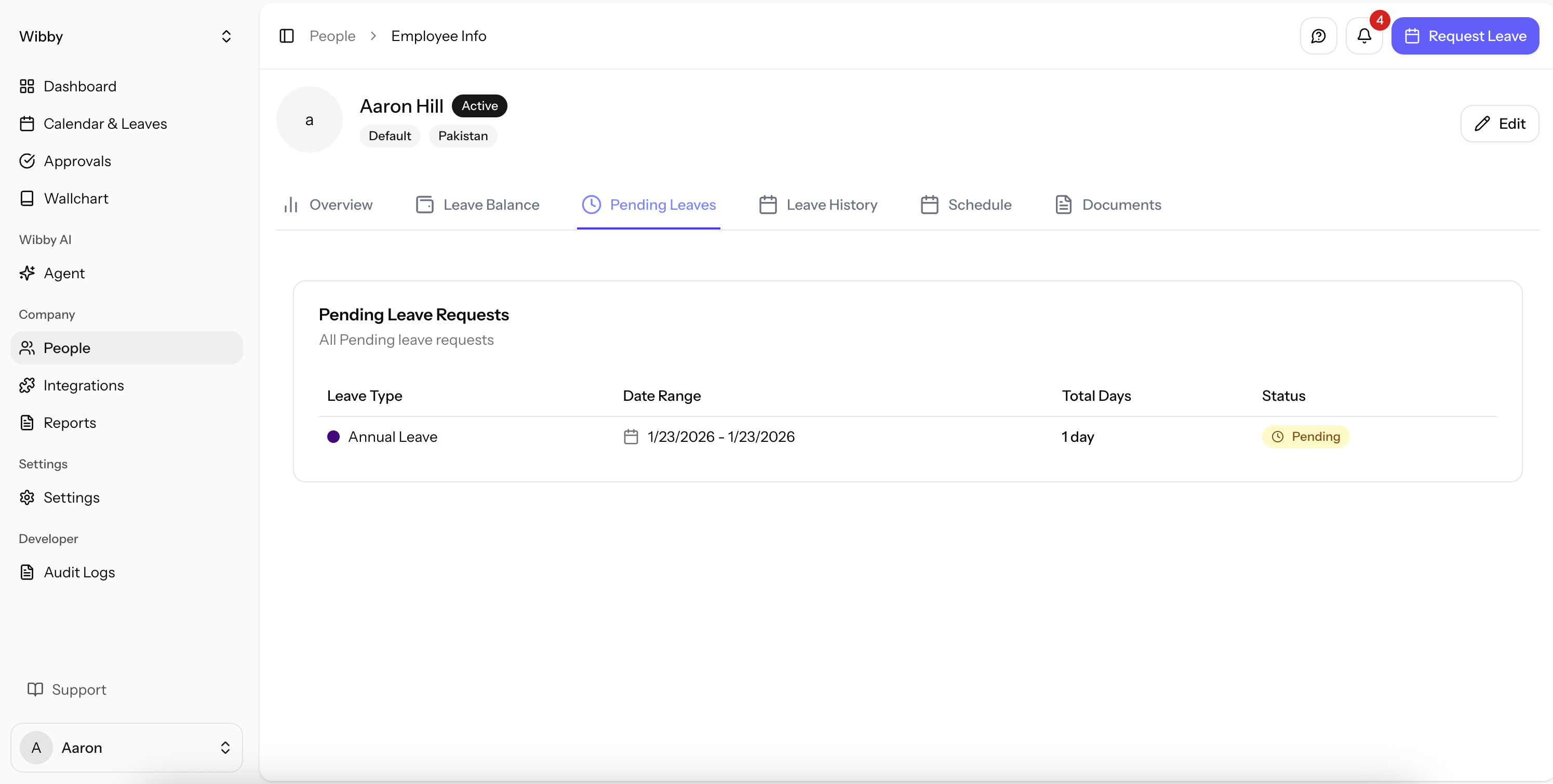
The Pending Leaves page displays:
- Leave Type — the type of leave that is requested
- Date Range — the dates for which the leave is requested
- Total Days — number of days requested (weekends / non-working days are not counted)
- Status — There are 4 statuses for a leave request; Pending, Approved, Rejected and Cancelled.